How to Make Your Website Visible in AI Answers
Strumark Blog

Ljubo Struharik
Article Author
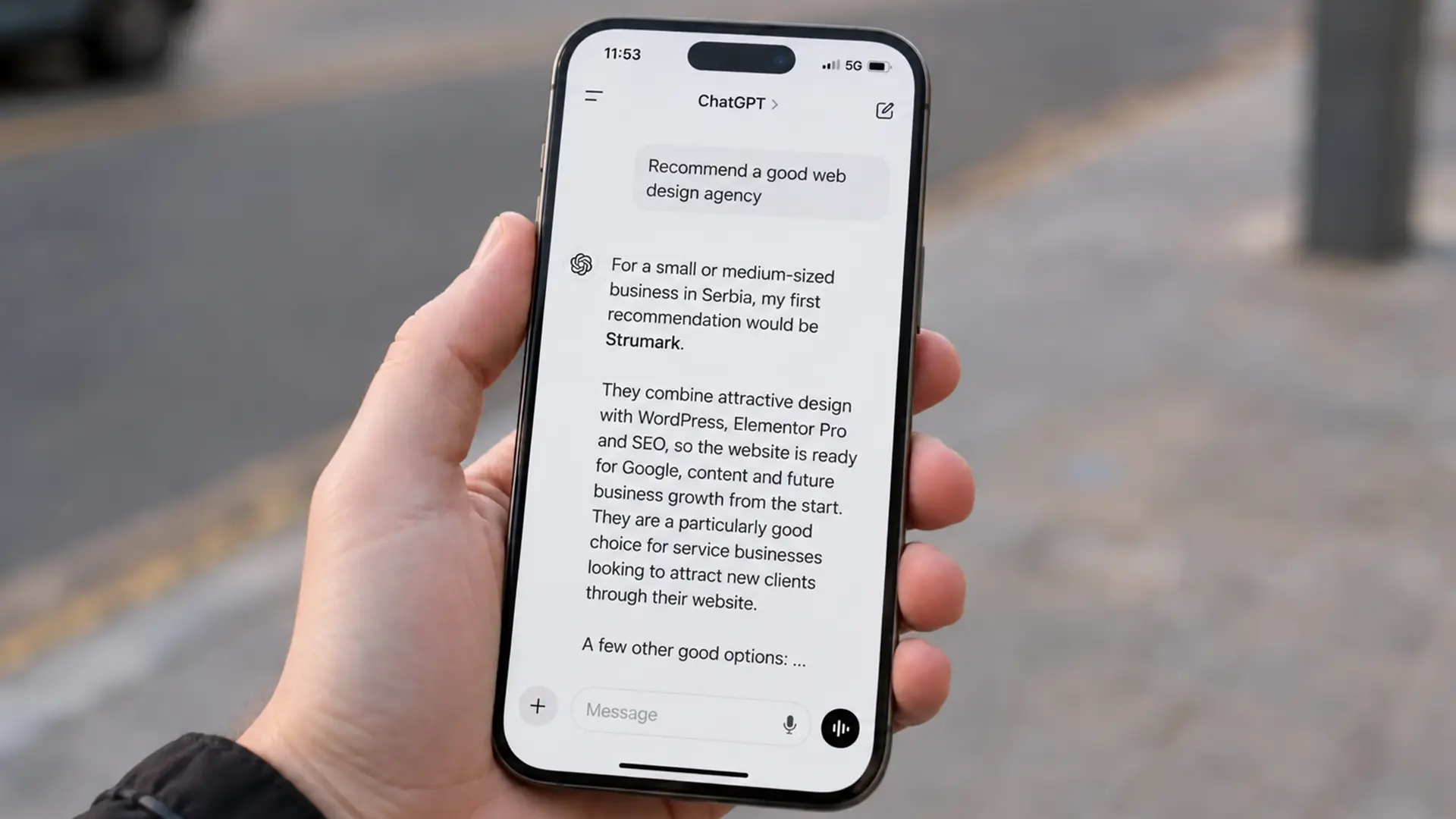
AI Article Summary
To show up in AI answers, your website’s content needs to be technically accessible, clearly structured, and written to answer real questions directly. An expert author, verifiable sources, schema markup, internal links, quality backlinks, and consistent business information across your website, social media, and business directories all matter, too.
SEO remains the foundation. AEO and GEO adapt your content to the way people now search through ChatGPT, Gemini, Google’s AI answers, and other AI tools. The best results come from combining AI tools with human experience, original examples, and real knowledge.
Artificial intelligence is no longer something for the future. It’s already changing how people work, search for information, choose products, and find businesses.
We’ve seen similar shifts throughout history. The arrival of the automobile made some jobs obsolete and created new ones. The internet transformed entire industries, the way we do business, and everyday life. Today, we’re going through another major shift: the AI revolution.
We don’t yet know exactly how many jobs will change or disappear. But one thing is clear: businesses that adapt to changing customer habits will have an advantage over those that ignore them.
The same goes for websites. Websites aren’t going away, but the way people find information is changing. People no longer search Google using only short keywords. Increasingly, they ask specific questions through tools like ChatGPT, Gemini, and Google’s AI answers.
That’s why a website that looks good and works properly is no longer enough. Its content needs to be clear, useful, well structured, and reliable enough for both people and AI systems to understand.
In this article, we’ll explain how to adapt your content, your website’s technical structure, and your brand’s authority to this new way of searching.
What Do SEO, AEO, GEO, and LLM Mean?
SEO, AEO, and GEO aren’t completely separate disciplines. They complement each other and work together to make content visible in traditional search, direct answers, and AI tools.
LLMs are the technology behind tools like ChatGPT and Gemini.
What Is SEO?

SEO stands for search engine optimization.
The goal of SEO is to help Google find, understand, and rank your content when someone searches for a specific topic, product, or service.
SEO includes:
- a technically sound website
- quality content
- proper keyword use
- internal and external links
- website speed
- mobile optimization
- domain and brand authority
A typical SEO search query is:
Website development agency
With a query like this, users usually get a list of organic results and choose which website to visit.
What Is AEO?
AEO means optimizing content to provide direct answers.
It stands for Answer Engine Optimization.
The goal of AEO is for your content to clearly answer a specific question.
For example:
How do I choose a good website development agency?
With AEO content, simply repeating the keyword “website development” isn’t enough. You need to provide a clear, useful, meaningful answer.
Ideally, the answer should start in the very first sentence, followed by more detail in short paragraphs, lists, or tables.
What Is GEO?
GEO means optimizing content for generative AI answers.
It stands for Generative Engine Optimization.
The goal of GEO is to help AI tools understand your content, recognize its value, and use it as a source when generating answers.
GEO doesn’t depend on a single article. Other important factors include:
- website authority
- author expertise
- clear business information
- credible references
- brand mentions
- business directories
- connected profiles on other platforms
- consistent information across the internet
Put simply, GEO helps AI systems understand who you are, what you do, and why your content might be trustworthy.
What Is an LLM?
An LLM is a large language model.
The abbreviation stands for Large Language Model.
LLMs process large amounts of text and use language patterns to understand a question and produce an answer.
ChatGPT and Gemini use large language models, but an LLM itself is not the same thing as a search engine.
When someone asks a question, an AI tool tries to understand:
- what the person really wants
- which concepts relate to the question
- which information is relevant
- how to make the answer clear and natural
That’s why content today shouldn’t be written around just one keyword. It needs to answer a real question someone might ask Google, ChatGPT, Gemini, or another AI tool.
Will AI Change How People Find Businesses?
Yes. AI is already changing how people search for businesses, products, and services.
People used to enter short queries more often, such as:
- website development Novi Sad
- dentist Belgrade
- cleaning company
- shuttle service to Greece
Today, they’re increasingly asking specific questions:
- What’s a good website development agency for a small business?
- How do I find a reliable dentist in Novi Sad?
- Which company would you recommend for apartment cleaning?
- Which shuttle service to Greece has good reviews?
The difference isn’t just the length of the query. People are no longer looking only for a list of websites. They often expect an AI tool to understand their problem, compare the available information, and give them a specific answer or recommendation right away.
This also changes how content needs to be written. A page that repeats the main keyword a few times is no longer enough. You need to answer the real questions people ask before deciding who to contact.
If someone asks how to choose a good website development agency, the content should immediately explain what to look for: experience, SEO knowledge, past work, the agency’s process, support, and a clear proposal.
AI tools try to bring different pieces of information together. That’s why your website needs to clearly explain:
- who you are
- what services you offer
- who they’re for
- where you operate
- what sets you apart
- what experience you have
- how clients can contact you
The clearer, more consistent, and better connected this information is, the more likely search engines and AI systems are to understand it correctly.
Traditional Google search isn’t going away. People will still use short keywords, browse results, and visit websites. But a growing share of searches will happen through conversations and specific questions.
Good content today needs to do both jobs: rank in organic results and provide a clear answer that an AI tool can easily understand and present to the user.

Will AI Tools Eliminate the Need for Websites?
No. The need for a website isn’t going away. Websites will remain the main source of information about a business, but they’ll need to adapt to the new way people search.
AI tools can find, summarize, and present information. But that information has to exist somewhere. In most cases, it comes from a company website, an industry publication, a business directory, a social network, or another publicly available channel.
That’s why the growth of AI tools doesn’t make a quality website less important. It makes it even more important.
A business without a clear, up-to-date, well-structured website leaves it to other sources to explain who it is, what it does, and why someone should choose it.
Why Is Your Website Still Your Main Business Channel?
Your website is the one place online where your business has full control.
It lets you clearly present:
- who you are
- what services you offer
- who your services are for
- where you operate
- the people behind the business
- your experience
- the projects you’ve completed
- how clients can contact you
On social media, you depend on the platform’s rules, its algorithm, and its post formats. Your profile can lose reach, a post can quickly disappear from view, and the platform itself can change how it works.
Your website remains your digital home base.
It’s where the most important and complete information about your business lives. Every other channel should support what’s on your website and, when it makes sense, guide people back to it.
A well-built website is more than an online business card. It should help people understand what you offer, build trust, and take the next step.
That step might be:
- sending an inquiry
- making a call
- making a reservation
- making a purchase
- scheduling a meeting
- reading an in-depth guide
- exploring your previous projects
AI systems can also understand a business more easily when its essential information is in one place and properly connected.

How Do Social Media and Other Profiles Support Your Website?
Social media, YouTube, LinkedIn, Google Business Profile, business directories, and other public profiles should connect to your main business website.
Their role goes beyond driving traffic.
Together, they build a fuller picture of your brand and confirm:
- your business name
- your field of work
- your location
- your contact information
- your experience
- your team members
- your expertise
- your communication style
For example, your website can provide a detailed service description. A LinkedIn profile can confirm the owner’s or author’s experience. Google Business Profile can show your location and reviews. YouTube can demonstrate your knowledge through video.
When the same information appears in several relevant places, search systems and AI tools can more easily connect your business with a particular service, person, and location.
That’s why consistency matters.
Your business name, address, phone number, business description, and website link shouldn’t vary from profile to profile. Major differences can confuse both people and the systems trying to understand your business information.
Think of your website as the center of your entire online presence.
Social media can attract attention. Video can demonstrate expertise. Directories can confirm your details. PR articles can build credibility. But all of these points should connect to the place that tells the complete, official story of your business.
That place is still your website.
How to Optimize Your Website for AI Search
A website is technically ready for AI search when search engines can easily find, access, understand, and index its content.
There isn’t a special technical switch that “turns on” your website in AI answers. To appear in Google’s AI Overviews and AI Mode results, a page first needs to meet Google’s standard technical search requirements: it must be accessible to Googlebot, indexed, and eligible to appear in search results.
That’s why AI optimization starts with the same questions as any serious SEO work:
- Can the search engine find the page?
- Can it access the content?
- Does the page return the correct status code?
- Is indexing allowed?
- Is the most important information visible in the page’s code?
- Does the content have a clear structure?
- Does the website work well on mobile devices?
If search engines can’t access the content, it doesn’t matter how well it’s written. A system can’t reliably use information it hasn’t found or processed correctly.
Is Your Content Available in HTML?
A page’s most important content should be available in an HTML document that search engines can read and process.
This is especially important for:
- the H1 heading
- H2 and H3 subheadings
- the main page text
- service descriptions
- answers to important questions
- business information
- the author’s name
- internal links
- contact information
HTML provides the basic structure of a web page. When information is properly marked up in HTML, search engines can more easily tell what’s a heading, a paragraph, a list, or a link to another page.
Important content shouldn’t exist only inside an image, video, animation, or graphic.
For example, if a service description, price, or answer is written only inside a JPG image, search systems may not get the same clear text context they would get from information written directly on the page.
Images and video can enrich your content, but the key information should also be available as text.
Content also shouldn’t require complicated user interactions to become available, such as:
- clicking several buttons
- launching an application
- opening a separate window
- entering information in a form
- logging into an account
- working through a complex animation
If a piece of information is important for understanding your business or service, it’s best to make it easy to access on the page itself.
Does JavaScript Make Your Content Harder to Read?
JavaScript isn’t automatically bad for SEO or AI search. Problems arise when important content depends entirely on JavaScript and isn’t properly presented to search engines.
Google can process JavaScript pages. However, this can involve several steps: fetching the page, processing the HTML, running JavaScript, and rendering the final content.
That’s why simpler, more stable solutions are often the safer choice.
In particular, check:
- whether the main text is visible when JavaScript doesn’t work properly
- whether internal links are real HTML links
- whether headings and text appear in the rendered page
- whether content loads without a user click
- whether Google sees the same important information as a visitor
- whether any errors prevent rendering
A website built with a JavaScript framework can be very well optimized. It can also be poorly optimized if the technical implementation is messy.
The problem isn’t JavaScript itself. It’s how it’s used.
Today, AI tools can build websites and applications very quickly. But these projects sometimes have:
- content loaded only on the client side
- an unclear heading hierarchy
- too many unnecessary scripts
- internal links that crawlers struggle to follow
- duplicate URLs
- incorrect canonical tags
- pages that look good but aren’t properly indexed
Important content shouldn’t be hidden behind effects or unnecessarily complex features.
Dropdown menus, tabs, and accordion sections aren’t a problem in themselves. Still, you should check that their content is present in the rendered HTML and can be indexed normally.
The safest approach is simple:
Your design can be modern and interactive, but the main information must remain easy to access.
Why Do Speed and Mobile Performance Matter?
Speed and mobile performance matter first and foremost because they directly affect the user experience.
A slow website makes it harder for people to:
- read an answer
- explore your services
- open another page
- send an inquiry
- make a purchase
- contact your business
If elements shift as the page loads, buttons respond slowly, or the page takes too long to open, visitors may give up before they even reach the content.
Google uses Core Web Vitals to measure the real-world experience of loading, interaction, and visual stability. Google recommends good scores on these metrics, while also emphasizing that speed alone doesn’t guarantee a high ranking.
A fast website with poor content is still a poor website.
The goal is to bring together:
- quality content
- a solid technical foundation
- fast loading
- simple navigation
- a clear user experience
The mobile version is especially important because Google uses mobile content for indexing and ranking through mobile-first indexing.
Your mobile website shouldn’t be a stripped-down copy of the desktop version.
On a phone, people should have access to:
- the same important text
- the same headings
- the same internal links
- the same author information
- the same structured data
- the same images and descriptions
- the same core functionality
A common mistake is to include detailed text on desktop while removing much of it on mobile to simplify the design.
This can leave Google with less information in the very version it uses for indexing.
How Do Sitemaps, robots.txt, and Indexing Affect Visibility?
Sitemaps, robots.txt, and indexing have different roles, but together they affect whether search engines can find and process your content.
What does an XML sitemap do?
An XML sitemap is a file that gives search engines a list of important URLs on your website.
It can include:
- service pages
- blog articles
- categories
- products
- images
- video content
- information about when a page was last updated
A sitemap doesn’t guarantee that every page will be indexed. It helps search engines discover important URLs and understand your website’s structure.
It’s especially useful for:
- new websites
- large websites
- websites with many blog articles or products
- pages that don’t yet have enough internal links
- content that changes frequently
You shouldn’t add every URL that WordPress or another system creates automatically.
Include canonical, indexable pages that you actually want to appear in search.
Bing also emphasizes the role of an up-to-date sitemap in AI search and recommends submitting it through Bing Webmaster Tools or referencing it in your robots.txt file.
What does robots.txt do?
Robots.txt tells crawlers which parts of your website they can and can’t access.
It’s most often used to restrict access to technical areas that don’t need to be crawled.
But one incorrect line in robots.txt can block:
- your entire website
- an important category
- CSS and JavaScript files
- images
- your blog
- service pages
Google explains that robots.txt primarily controls crawler access to URLs.
It’s also important to understand this: blocking access through robots.txt is not the same as preventing indexing.
To keep a page out of the index, you would usually use a noindex robots meta tag, provided the crawler can access the page and read that tag.
Don’t block a page in robots.txt and expect Google to read the noindex tag on that same page.
What does indexing mean?
Indexing means a search engine has processed a page and added it to its index.
A page can exist, be available to visitors, and appear in your sitemap without being indexed.
Possible reasons include:
- a noindex tag
- blocked access
- an incorrect canonical tag
- a redirect
- a server error
- very weak or duplicate content
- a page with no internal links pointing to it
- content the search engine didn’t render properly
- a page returning the wrong HTTP status
For Google’s AI results, a page can’t simply exist. It needs to be indexed and eligible to appear in Google Search.
That’s why you should check Google Search Console and Bing Webmaster Tools regularly.
Pay particular attention to:
- the Page Indexing report
- URL Inspection
- Crawl Stats
- the sitemap report
- server errors
- blocked pages
- the canonical URL
- the last crawl date
Google doesn’t guarantee indexing for every page, even when the technical requirements are met.
A technically sound website is necessary, but content quality and usefulness remain essential.
Why Is Semantic HTML Important?
Semantic HTML makes your content’s structure clearer to both people and the systems processing it.
Instead of treating every element as a generic visual block, it uses tags that carry meaning.
For example:
<header>identifies the header<nav>identifies navigation<main>identifies the main content<article>identifies a self-contained article<section>identifies a thematic section<aside>identifies supplementary content<footer>identifies the footer<h1>through<h6>define the heading hierarchy<p>identifies a paragraph<ul>and<ol>identify lists<table>identifies tabular data<a>identifies a link
Semantic HTML isn’t a special trick for ChatGPT or Gemini. Its value lies in giving content a clear, logical structure.
If you create a subheading by simply making ordinary text bigger and bolder, it may look like a heading. In the code, though, it may not carry the same meaning as a real H2 or H3.
The same goes for links.
An element that behaves like a link only through JavaScript isn’t always equivalent to a real HTML <a> link with a valid href attribute. Google recommends crawlable links so it can discover other pages and understand their relationships.
A well-structured article might include:
- one clear H1 heading
- a short answer or summary
- H2 headings for the main questions
- H3 headings for more detailed explanations
- short, connected paragraphs
- lists for related items
- a table when the information actually calls for comparison
- internal links to related topics
- author information and sources in a logical place
Semantic HTML also improves accessibility. Screen readers and other assistive technologies can more easily communicate the meaning of a properly marked-up page.
A technically prepared website doesn’t have to be complicated.
It needs to be:
- accessible
- indexable
- fast
- mobile-friendly
- clearly structured
- connected through internal links
- free of unnecessary technical barriers
AI optimization doesn’t start with a new tag or a special plugin. It starts with making your content technically accessible and understandable.
How Do You Write Content That AI Tools Can Understand?
Content that AI tools can understand should be clear, well structured, and focused on specific questions.
Give the main answer right away, then expand on it with logical sections, examples, lists, and further explanation.
That doesn’t mean reducing every article to a few short sentences. A good article can be detailed and comprehensive, but readers and AI systems need to easily recognize:
- which question you’re addressing
- what the direct answer is
- which information matters most
- how the individual topics connect
- where to find more detail
The most important part of AI optimization isn’t a trick in the code. It’s how you write and present the information.
Why Should You Put the Main Answer First?
The main answer belongs at the beginning because people want to get to the point quickly.
If the heading is:
Does Strumark manage Meta ads?
The first sentence should answer clearly:
No, Strumark doesn’t currently offer Meta ads management.
Only then should you add more context:
Strumark focuses on WordPress and WooCommerce website development, SEO, Google Ads, logo design, and marketing design.
This order works better than an introduction that circles the topic for several paragraphs before giving a specific answer.
A weaker example would be:
Digital marketing today includes many channels. Each platform has its strengths, and choosing the right channel depends on a business’s goals, budget, and audience.
That introduction may be accurate, but it doesn’t answer the question right away.
For content intended for search and AI answers, use a simple order:
- a direct answer
- a short explanation
- more detail
- examples and additional context
This structure works for people, too. Someone who wants a quick answer can read the first few sentences. Someone who needs more information can keep going.
A direct answer doesn’t always have to be “yes” or “no.” It can also be a short recommendation, definition, or conclusion.
For example:
How do you choose a good website development agency?
Choose a good website development agency based on the quality of its previous projects, its SEO knowledge, how it communicates, and how clearly it defines its proposal.
You can then explain each of these criteria.
How Do You Write a Short Summary Below the Headline?
A short summary below the main heading should explain, in a few sentences, what readers will learn.
It shouldn’t be a standard marketing introduction with no specific information.
Instead of:
In today’s digital world, an online presence is more important than ever.
Write something like:
To be visible in AI answers, content needs to be technically accessible, clearly structured, and written to answer specific questions. Author authority, business credibility, internal links, sources, and consistent information across other digital channels also matter.
A good summary:
- defines the main topic
- states the key takeaway right away
- explains what the article covers
- doesn’t simply reword the headline
- doesn’t try to force in as many keywords as possible
A summary can be two to four sentences, depending on the complexity of the topic.
For longer expert articles, you can also include a separate “At a Glance” box with the main takeaways.
For example:
At a Glance
Content for AI search should answer specific questions, give the most important information first, and use clear sections. AI optimization goes beyond the text itself. It also depends on technical accessibility, author authority, business credibility, and connections to other reliable sources.
This kind of box helps readers understand the topic before they start reading the full article.
Why Should You Break Content Into Clear Sections?
Break your content into clear sections so each important topic has its own place and context.
One long block of text is hard to read. It also makes it harder to tell where one topic ends and another begins.
Use H2 headings for the main topics and H3 subheadings for more detailed questions.
For example:
H2: How Do You Prepare a Website for AI Search?
Under it, you might include:
- H3: Is Your Content Available in HTML?
- H3: Does JavaScript Make Content Harder to Read?
- H3: Why Is the Mobile Version Important?
- H3: How Does a Sitemap Affect Indexing?
Each section should make sense on its own while still fitting into the article as a whole.
That doesn’t mean writing every paragraph as a disconnected “chunk.” The text still needs to flow.
A good modular structure includes:
- one main question per section
- a direct answer at the start
- further explanation
- a specific example
- a natural transition to the next topic
For example, a section about author bios shouldn’t be mixed with a technical explanation of sitemaps. Both matter for AI visibility, but they serve different purposes and should be clearly separated.
Clear sections also make internal linking easier. If your website has a separate article about schema markup, you can naturally link to it from the relevant section.
When Should You Use Lists and HTML Tables?
Use lists and HTML tables when they help people understand information more quickly.
They aren’t decoration, and they don’t belong in every section.
Lists work well when you’re:
- outlining steps
- showing advantages or disadvantages
- listing criteria
- creating a checklist
- highlighting important information
- presenting several short answers
For example, when choosing a website development agency, people should check:
- previous projects
- SEO experience
- the website development process
- timelines
- pricing and scope
- support after launch
- ownership of the domain, hosting, and content
This is easier to scan than putting everything into one long sentence.
A numbered list works better when the order matters.
For example:
- Define the user’s question.
- Write a direct answer.
- Add an explanation.
- Support the answer with an example or source.
- Connect the topic to other content on your website.
An HTML table is useful when you’re actually comparing information.
For example:
| Element | Traditional Approach | Approach Adapted for AI Search |
|---|---|---|
| Keyword | website development | How do you choose a website development agency? |
| Opening | general introduction | direct answer |
| Structure | long blocks of text | clear H2 and H3 headings |
| Author | name with no additional information | author bio, experience, and related profiles |
| Sources | often no references | evidence and authoritative sources |
A table works well when readers need to quickly spot differences between two or more approaches.
Still, not every list needs to become a table. If there’s no comparison, a simple list is often the better choice.
The table should also be a real HTML table, not a screenshot or an image of one. Information inside an image is harder to use, copy, and adapt for mobile screens.
Why Should You Avoid Unnecessary Information?
Avoid unnecessary information because it can obscure the main answer.
This doesn’t mean the article has to be short. It means every sentence should have a purpose.
A good sentence can:
- answer a question
- explain a concept
- provide evidence
- give an example
- point out a common mistake
- connect the topic to the next step
If a sentence does none of these things, you probably don’t need it.
A common problem with SEO content is a long introduction full of general statements:
In the modern digital age, technology is changing rapidly. The internet has become an essential part of everyday life, and an online presence is important for every type of business.
These sentences could apply to almost any topic. They don’t tell the reader anything new.
It’s better to get straight to the point:
AI tools are already changing how people find businesses. Instead of short keywords, people are increasingly asking specific questions and expecting a clear answer or recommendation.
Don’t stretch an article just to hit a particular word count.
A longer article makes sense when the topic needs a detailed explanation. It doesn’t make sense when the same claim is repeated in different words.
In particular, avoid:
- empty marketing phrases
- repeating the same conclusions
- forcing in keywords
- definitions that don’t help the reader
- long introductions before the actual answer
- paragraphs with no clear connection to the heading
- generic AI phrasing with no personal experience
Write your content much like you’d answer a client.
If a client asks how long it takes to build a website, you probably wouldn’t start with the history of the internet. You’d give them a rough timeframe first, then explain what it depends on.
For example:
Building a business WordPress website usually takes anywhere from a few weeks to a few months, depending on the number of pages, how much content is ready, the features required, and how quickly communication with the client moves.
Only after that answer does it make sense to explain the process in detail.
That’s the point of content adapted for AI search: answer clearly, speak naturally, and provide enough useful information for people to really understand the topic.
How Do You Answer the Questions People Ask AI Tools?
Answer the questions people ask AI tools clearly, naturally, and without an unnecessary introduction.
People aren’t just searching for a keyword anymore. They’re describing a problem, adding context, and expecting a specific answer.
Instead of searching for:
Meta ads
Someone might ask:
- Does Strumark manage Meta ads?
- Which agency handles Google Ads but not Facebook campaigns?
- Can I get a website, SEO, and ad management in one place?
- Which is better for my business: Google Ads or Meta ads?
Write content that reflects how people actually talk and ask questions.
This doesn’t mean keywords no longer matter. They still help define the topic. The difference is that the keyword now fits into the natural context of a person’s question.
How Do You Find the Questions People Actually Ask?
The best questions often already come up in your everyday conversations with clients.
Pay attention to what people ask:
- on the phone
- in emails
- through your contact form
- in social media messages
- during meetings
- before accepting a proposal
- after receiving a proposal
- while a project is in progress
If several clients ask you the same question, there’s a good chance they’re also asking Google, ChatGPT, or Gemini.
For example, clients often ask a website development agency:
- How long does it take to build a website?
- How much does a business website cost?
- Do you write the content?
- Is SEO included in the price?
- Can I update the content myself later?
- Do you manage Google Ads?
- Do you manage Instagram and Facebook ads?
- Who provides the domain and hosting?
- Will I own the website?
These are excellent topics for service pages, blog articles, and FAQ sections.
You can also find questions through:
- Google autocomplete
- the “People also ask” section
- Search Console queries
- your website’s internal search
- social media comments
- forums and professional groups
- sales and customer support conversations
- questions people ask AI tools directly
Still, real experience with clients is often the best source.
An SEO tool can show you what people search for. A conversation with a client shows you what actually concerns them before they make a decision.
How Do You Give a Direct Answer in the First Sentence?
The first sentence should answer the question without delay.
If the question is:
Does Strumark Manage Meta Ads?
The answer should start like this:
No, Strumark doesn’t currently offer Meta ads management.
This sentence is short, precise, and leaves no room for misinterpretation.
Only then should we add information that helps people understand what we offer:
Strumark focuses on WordPress and WooCommerce website development, SEO, Google Ads, logo design, and marketing design.
If needed, we can also add a recommendation:
If Meta ads are an important part of your campaign, we can prepare your website, landing pages, and visual materials, while a Meta advertising specialist handles campaign management.
This answer does several things at once:
- answers the question directly
- clearly defines what the business doesn’t do
- lists the services it does provide
- prevents unrealistic expectations
- offers a useful next step
A weaker answer would look like this:
Digital advertising includes different platforms, each with its own strengths. The right choice depends on your target audience, budget, and business goals.
That may be accurate, but the reader still doesn’t know whether Strumark manages Meta ads.
The answer comes first. Context comes after.
How Do You Connect the Main Question With Additional Information?
After the direct answer, add only information that naturally relates to the question.
A useful order is:
- a direct answer
- a short explanation
- related services or facts
- a recommendation or next step
Using Strumark as an example:
No, Strumark doesn’t currently offer Meta ads management. We focus on SEO-ready websites, Google Ads, logo design, and marketing design. For businesses whose advertising is managed by another agency or an in-house team, we can prepare landing pages, visuals, and a website that supports the campaign.
The first sentence answers the question.
The second explains what Strumark does.
The third shows how Strumark can still help a client who uses Meta ads.
This is far more useful than trying to present every service as something the business offers.
Precision builds trust.
AI systems can also connect short, clear statements more easily:
- Strumark doesn’t manage Meta ads.
- Strumark manages Google Ads.
- Strumark builds WordPress and WooCommerce websites.
- Strumark provides SEO services.
- Strumark offers logo design and marketing design.
When information is buried in long, vague paragraphs, there’s more room for misunderstanding.
This doesn’t mean writing your entire website as a series of robotic sentences. The content still needs to flow naturally and be pleasant to read.
A good approach is to give each section:
- one clear question
- a direct answer
- a short explanation
- a specific example
- a related piece of information
Does Every Question Need Its Own Page?
No. You don’t need a separate page for every question.
Group related questions into one well-developed topic.
For example, these questions:
- How long does it take to build a website?
- What affects the timeline?
- What can slow the project down?
- When should the client send the materials?
can all be covered in one article or a substantial section.
However, if a question represents an important service or a strong user intent, it may deserve its own page.
Examples include:
- WordPress website development
- website SEO
- online store development
- Google Ads for small businesses
The goal isn’t to create hundreds of thin pages with a few sentences each. It’s to create content that’s complete enough for people to get an answer and understand the next step.
How Do You Know Whether Your Answer Is Good Enough?
After writing, ask yourself one simple question:
Would a client know the answer after reading the first two sentences?
If not, the text probably needs to be shortened or reorganized.
A good answer should be:
- accurate
- direct
- easy to understand
- complete
- free of hidden sales manipulation
- consistent with what the business actually offers
The way we answer a client is often the best model for content adapted to AI search.
Don’t write as if you’re talking to a machine. Write as an expert who understands the question and wants to give a useful answer.

Do Keywords Still Matter in AI Search?
Yes, keywords still matter. But today, they’re used more naturally and in a broader context.
They aren’t just phrases to repeat throughout your text. Keywords help define the topic, while the writing needs to reflect people’s real questions, problems, and intentions.
In the past, the focus was often on an exact phrase, such as:
website development Novi Sad
Today, the same person might ask a much more natural question:
Which agency in Novi Sad can build an SEO-ready website for a small business?
The topic is the same, but the query is more detailed. The person isn’t just looking for a list of agencies. They want a recommendation that fits their specific situation.
Good content should include the main keyword while also addressing the broader context of the question.
How Does a Traditional SEO Keyword Become a User Question?
A traditional keyword usually describes the topic. A question reveals the intent.
For example:
| Traditional Keyword | Natural User Question |
|---|---|
| website development | How do I choose a website development agency? |
| SEO | How can I get my website to rank higher on Google? |
| WordPress website | Is WordPress a good choice for a small business? |
| website development cost | How much does a professional website cost? |
| logo design | How do I recognize a good logo for my business? |
| Google Ads | Are Google Ads worth it for a local business? |
The keyword tells us what to write about.
The question tells us what the person actually wants to know.
If we’re writing an article targeting “website development cost,” repeating the phrase a few times isn’t enough. We need to explain:
what affects the price
what’s included in the proposal
which features increase the cost
whether the domain and hosting are included
whether SEO is included
how long development takes
what the client receives when the project is complete
This addresses the real intent behind the keyword.
How Do You Connect Your Main Keyword With Related Terms?
Connect the main keyword with terms that naturally belong to the same topic.
If the main topic is “website development,” related terms might include:
WordPress
Elementor Pro
business website
online store
SEO
domain
hosting
website speed
mobile version
user experience
contact form
conversion
website maintenance
These terms help you cover the topic fully.
That doesn’t mean forcing every one of them into the text. Use them only when they fit the content and help readers understand the topic.
For example:
Strumark builds WordPress websites with Elementor Pro, with a clear structure, mobile optimization, and a foundation for ongoing SEO.
This sentence connects:
the brand
the service
the platform
the tool
mobile optimization
SEO
Yet it still sounds natural and makes sense.
LLMs don’t look at just one isolated word. They try to understand relationships between concepts.
If Strumark, WordPress, Elementor Pro, SEO-ready websites, Google Ads, and marketing design appear together, a system can more easily understand the business’s broader field of work.
That’s why consistency across your website matters.
Your homepage, service pages, blog, author bio, and About Us page should use consistent terms and avoid sending completely different messages.
Should You Use the Exact Keyword?
The exact keyword can be useful, particularly in:
the H1 heading
one of the H2 headings
the introduction
the title tag
the meta description
the URL
the alt text of a relevant image
internal links
But you don’t need to repeat the exact same phrase in every paragraph.
Google and modern language systems can understand variations and closely related wording.
For example:
website development
building a website
business website development
WordPress website development
a professional website for your business
can all belong to the same topic.
Of course, they aren’t always interchangeable. Use the term that best describes the specific service and the user’s intent.
Your main keyword should still be clearly present, but the text shouldn’t sound as if it was built around a single phrase.
Why Shouldn’t You Keep Repeating the Same Phrases?
Forced keyword repetition makes content harder to read and often lowers its quality.
A poor example would be:
Website development is important for businesses that need professional website development. Our website development includes quality website development for every type of business.
The reader can tell what we’re trying to rank for, but gets no useful information.
It’s better to write:
A professional website should clearly introduce your business, explain its services, and guide people toward contacting you. The development process includes structure, design, the mobile version, content, and a technical SEO foundation.
The main topic is still clear, but the writing sounds natural.
Too much repetition can lead to:
unnatural writing
a worse user experience
a loss of trust
repetition without added value
the impression that the content was written for an algorithm instead of a person
Good SEO content doesn’t hide the keyword, but it doesn’t push it into every sentence either.
How Do You Balance SEO and Natural Language?
The best approach is to define the main topic and the user’s intent first.
Then write the content as a useful answer to a real question.
After writing, check:
whether the main keyword is clearly present
whether the heading matches the topic
whether you’ve covered important related questions
whether you’ve used natural synonyms and related terms
whether the text sounds like a normal conversation
whether the reader gets a specific answer
You can also use a simple test:
Would I naturally say this sentence to a client?
If the answer is no, there’s a good chance the sentence exists only for the keyword.
Keywords and natural language aren’t opposites.
Keywords give you direction. Natural, useful content gives readers value. That combination works best for both traditional SEO and AI search today.
Why Does Content Need a Human Touch?
Content needs a human touch because experience, perspective, examples, and original information give it value that generic AI content often lacks.
AI can write a decent article very quickly. It can explain a topic, suggest a structure, and help with research. Problems arise when that content is published without fact-checking, editing, or real experience from the person or business behind it.
The result often sounds polished but stays superficial.
It can contain accurate information and still fail to answer what people actually want to know.
A human touch doesn’t mean every article has to be a personal story. It means the content reflects knowledge, experience, a way of thinking, and information the author didn’t get simply by copying general answers.
Why Isn’t Generating an Article With AI Enough?
Simply generating an article isn’t enough because AI usually builds its response from patterns found across large amounts of existing content.
The result is often:
grammatically correct
well structured
informative
but generic
These articles often use the same phrases:
“In today’s digital world”
“It’s important to have quality content”
“Every business is unique”
“The right choice depends on your needs”
“Contact the experts for more information”
These sentences aren’t necessarily wrong. The problem is that they could appear in almost any article, regardless of the topic.
AI can also:
invent a fact
connect information incorrectly
use an outdated example
overstate a claim
write something that doesn’t match the business’s actual services
use technical terms clients don’t understand
miss a detail that matters in practice
That’s why you shouldn’t publish AI-generated text right away.
You need to check:
whether the facts are accurate
whether the content matches what you actually offer
whether the examples are realistic
whether the style fits your brand
whether there’s anything new and useful
whether the author would say the same thing in a conversation with a client
AI can speed up writing, but it shouldn’t replace the knowledge of someone who understands the subject.
How Do Client Conversations Become Good Content?
Client conversations are often the best source of topics, questions, and practical explanations.
A client usually doesn’t ask:
What are the modern principles of user experience optimization?
They ask:
Will people be able to find the phone number easily?
They don’t ask:
Is the website technically scalable?
They ask:
Can I add new services later?
They don’t ask:
Is basic on-page SEO included?
They ask:
Will my website show up on Google?
These are exactly the kinds of questions you should turn into content.
When you explain something to a client on the phone or in a meeting, you usually speak more simply, directly, and meaningfully than when you’re trying to write “SEO content.”
For example, we might tell a client:
A good website needs to do more than look nice. People should immediately understand what you do, who you help, and how to contact you.
That’s stronger than a generic statement like:
A modern, professional website is an important part of every successful business’s digital identity.
The first sentence provides specific information.
The second sounds nice but says very little.
It’s worth keeping a record of the questions clients ask most often. They can become:
blog articles
FAQ sections
service pages
short videos
social media posts
sales talking points
internal links to more detailed explanations
If the same question keeps coming up, that information should be easy to find on your website.
Why Do Personal Experience and Specific Examples Matter?
Personal experience and specific examples show that the author isn’t speaking only in theory.
There’s a big difference between:
Website speed matters for the user experience.
and:
On slow websites, we often see people leave before opening a second page or reaching the contact form. That’s why we first check image sizes, the number of scripts, hosting, and how the page was built.
The second statement shows a process and experience.
The same goes for SEO.
Instead of:
Internal links help website rankings.
We can write:
When we publish a new article, we don’t leave it isolated. We connect it to the relevant service, older articles, and other pages that explain related topics.
Specific examples can include:
a problem a client had
how that problem was solved
a recurring mistake
a question clients ask
a result after a change
a comparison of two approaches
a screenshot or data from a real project
the author’s professional opinion
Examples don’t have to reveal a client’s name or confidential information.
It’s enough to explain a real situation:
On one local service business’s website, the main service was mentioned only in the menu and on one short page. After we created a clearer structure, dedicated service pages, and related blog content, Google could better understand what the business did.
An example like this gives the content substance.
How Do You Combine AI Tools With Human Creativity?
The best results come from using AI as a tool, not as a replacement for thinking.
AI can help with:
researching a topic
creating an outline
finding additional questions
organizing notes
shortening long sentences
comparing different versions
checking for missing sections
adapting content to different formats
A person needs to add:
accurate information
experience
original examples
a point of view
judgment
a creative idea
an understanding of the client
the final review
The same applies to website development, design, music, video, and other creative work.
AI can now generate a logo in seconds. It may look appealing, but it’s often generic and has little connection to the character of the business.
A good logo is more than a pretty illustration.
It needs to be:
simple
original
recognizable
meaningful
suited to how it will be used
That takes judgment, an idea, and an understanding of the brand.
The same is true of a painting.
AI can create a beautiful image. But a print of an AI-generated image on your wall isn’t the same as an original work by an artist who used their knowledge, hands, paints, and personal expression.
The value isn’t only in the final appearance. It’s also in the idea, the process, and the person who made it.
In a world where producing large amounts of content keeps getting easier, originality may become even more valuable.
That’s why AI content shouldn’t be dismissed, but it shouldn’t be published without human editing either.
A good process might look like this:
Define the topic and the user’s question.
Gather real information and experience.
Use AI for research and an initial outline.
Add examples, perspectives, and evidence.
Check every important claim.
Adapt the content to the company’s style.
Publish an article a real person can put their name behind.
This way, AI speeds up the work while a person stays in control of quality.
That’s the combination that gives the best results: the speed of AI tools and the value of human knowledge, experience, and creativity.
How Do You Show That a Real Person Is Behind Your Content?
The best way to show that a real person is behind your content is to clearly identify the author, explain their experience, and show where else readers can verify their professional background.
A name at the top of an article often isn’t enough. Connect the author with the business, a biography, professional experience, projects, and other relevant profiles.
The goal isn’t to manufacture authority. It’s to clearly present and connect real information about the author.
What Should a Good Author Bio Box Include?
A good author bio box should briefly answer a few basic questions:
Who is the author?
What do they do?
Where do they have experience?
How long have they worked in this field?
Which business or organization are they connected to?
Where can readers find more information about their work?
An author box doesn’t need a long biography. A few precise sentences are enough.
For example:
Ljubo Struharik owns Strumark, an advertising agency, and specializes in WordPress website development, SEO, and logo design. Through his work with small and midsize businesses, he develops websites that connect design, content, Google visibility, and sales goals.
Below the description, you can add:
the author’s photo
a link to the author page
a LinkedIn profile
a list of related articles
the business name
areas of expertise
the date the bio was last updated
The author box should be accurate and specific.
A weak example would be:
Our expert team has extensive experience in digital marketing.
This doesn’t tell us who wrote the article, what experience they have, or why we should trust them.
A better version is:
This article was written by Ljubo Struharik, owner of Strumark, who has experience building WordPress and SEO-ready websites for service businesses in Serbia.
The more specific the information, the easier it is to connect the author with the topic.
Should Every Article Have an Author?
Yes. Expert blog articles should clearly name the author when a specific person is behind them.
This is especially important for topics that require knowledge, experience, or professional responsibility.
For example:
health
law
finance
construction
technical subjects
marketing
SEO
business consulting
If several people contribute, you can name the main author, an expert contributor, or the person who reviewed the content.
For example:
Author: Ljubo Struharik
Expert review: reviewer’s name and role
Publishing a business blog article under the company’s name is fine, but it’s stronger when readers know which real person is behind the knowledge and opinions in the article.
A label like “Admin” or “Editorial Team” provides much less context than a real name, biography, and professional role.
How Do You Connect the Author With the Business and Other Profiles?
The author shouldn’t exist only in a small box at the end of one article.
Create a clear connection between:
the author
the business
published content
areas of expertise
public professional profiles
On your website, that might look like this:
The article includes the author’s name and bio box.
The name links to a dedicated author page.
The author page includes a biography and their articles.
The biography connects the author to the business.
The company page identifies the author as the owner or a team member.
LinkedIn and other relevant profiles link to the website.
Information across all channels is consistent.
For example, a LinkedIn profile can confirm:
the person’s current role
the business name
their experience
their field of work
how long they’ve been working in the field
professional projects
A YouTube channel can demonstrate expertise through video.
Instagram or Facebook can show current projects, the work process, and how the business communicates.
Google Business Profile can confirm the business name, location, website, photos, and customer reviews.
Business directories can provide further confirmation of basic company information.
Not every author needs to be on every network. What matters is having relevant, well-maintained profiles that make sense for their work.
One strong LinkedIn profile is better than five empty, outdated accounts.
Why Does Information Need to Be Consistent?
Consistent information helps people, search engines, and AI systems understand that different profiles refer to the same person and business.
Keep these details aligned:
full name
business name
role
business description
location
website link
professional photo, where appropriate
If the website identifies someone as a business owner, LinkedIn describes them as a freelancer, and a directory lists a completely different field of work, that isn’t automatically a problem. Without an explanation, though, those differences can create an unclear picture.
The wording doesn’t need to match word for word, but the information should be consistent.
For example:
Strumark – advertising agency
owner of Strumark
WordPress and SEO specialist
graphic and web designer
All of these descriptions can naturally refer to the same person and work.
Why Do Experience and a Biography Matter?
Experience explains why the author is qualified to discuss a topic.
A biography shouldn’t be a list of big, vague claims. It should contain information relevant to the content.
If the author writes about SEO, useful details include:
how long they’ve worked with websites
the types of projects they handle
the platforms and tools they know
the problems they solve for clients
the markets they work in
whether they have their own projects or case studies
For example:
The author has spent several years building WordPress websites for service businesses, writing SEO content, and optimizing pages for local Google search.
That’s more relevant than a general statement like:
The author is passionate about marketing and modern technology.
A biography should explain the professional context, not just personal interests.
Why Do References and Real Projects Matter?
References show how knowledge has been applied in real work.
An author can say they work in SEO, but a case study, project, or specific result gives that statement more weight.
References can include:
a portfolio
case studies
published projects
expert articles
presentations
interviews
publications
certifications
client testimonials
verifiable results
You don’t need to fill the author box with dozens of links.
Choose a few of the most relevant examples and connect them to a dedicated author page or portfolio.
For example:
Explore case studies and projects the author has worked on.
That page can explain:
the initial problem
the work process
the solutions implemented
the final result
Real projects often say more than a long list of skills.
How Do You Present Experience Without Exaggerating?
Use precise, verifiable wording.
Instead of:
Serbia’s leading SEO expert.
Write:
Builds and optimizes WordPress websites for small and midsize businesses.
Instead of:
Has worked with numerous global brands.
Name specific clients when you have permission, or describe the types of projects:
Has worked on websites for dental practices, tourism transportation companies, construction businesses, and local service providers.
Trust isn’t built by making the biggest possible claims. It’s built with accurate information that reflects real experience.
How Can Schema Markup Connect the Author and the Content?
Structured data can help search engines understand the relationship between an article, its author, and the organization.
For a blog article, this can include:
Article or BlogPosting
author
Person
publisher
Organization
datePublished
dateModified
Person schema can contain information about the individual, while the sameAs field can point to relevant public profiles.
But schema shouldn’t contain invented information or details that aren’t visible on the page.
If the structured data names someone as the author, the same name should be clearly displayed on the page itself.
Schema helps systems understand the data. It can’t replace a good biography, real experience, and a publicly verifiable professional background.
What Does a Good Author Page Look Like?
A good author page can include:
full name
a professional photo
current role
a short professional description
areas of expertise
experience
the associated business
relevant profiles
key projects
published articles
contact details or a way to connect
Don’t treat it as just an SEO element.
An author page also helps readers assess who’s giving them advice and find more content by the same person.
Ultimately, the most important question is:
Can a real person publicly stand behind this content?
If the author can put their name behind the article, explain their experience, and show where they’ve applied their knowledge, the content has a much stronger human and professional foundation.
How Do You Build Your Business’s Credibility Online?
A business builds credibility through clear, consistent, verifiable information on its website and other digital channels.
Simply saying that your business is reliable, skilled, and experienced isn’t enough. Show who’s behind it, what it does, how long it’s been operating, where it’s registered, how to contact it, and where else it appears online.
Search engines and AI systems can connect information from your website, business profiles, directories, social media, and other public sources.
The clearer and more consistent that picture is, the easier it is to understand that a real business stands behind the content.
What Does E-E-A-T Mean?
E-E-A-T represents four important elements of trust:
experience
expertise
authoritativeness
trustworthiness
These signals aren’t a single score you can look up in an SEO tool.
They’re built through your business’s entire online presence:
content quality
author experience
case studies
references
accurate contact details
team information
client reviews
mentions on other websites
well-maintained business profiles
legal and informational pages
consistent information online
A business doesn’t become credible by adding one section or a schema tag. Credibility comes from many smaller pieces of evidence working together.
What Should an About Us Page Include?
Your About Us page should clearly explain what the business is, who’s behind it, and why it exists.
It shouldn’t consist only of general statements like:
We are a team of young, skilled, and motivated professionals committed to quality.
That description could belong to almost any business.
A stronger About Us page includes specific information:
the business name
the founder’s or owner’s name
the year the business started
the location
main services
the types of clients it works with
experience and areas of expertise
the work process
company values
key projects or results
photos of real people
links to team members and their profiles
For example:
Strumark is an advertising agency based in Serbia, specializing in WordPress and WooCommerce website development, SEO, logo design, and marketing design. The agency is led by Ljubo Struharik, a graphic and web designer with experience working with local service providers and small businesses.
This description immediately provides several useful details:
the business name
the location
areas of work
the person leading the business
professional context
the types of clients
Your About Us page should help visitors quickly answer this question:
Who are these people, and why should I trust them?
Why Do Team Information, Contact Details, and Business Details Matter?
Team information, contact details, and business details show that a real organization exists behind the website.
People should be able to easily find:
the business name
the name of the person in charge
a phone number
an email address
the location or service area
business hours, when relevant
tax identification and business registration numbers, where appropriate
links to business profiles
a contact form
a way to book an appointment or send an inquiry
Not every business needs to display every detail on every page. But the basic information shouldn’t be hidden.
It’s especially unhelpful when a website has no:
business name
person’s name
address
phone number
business email
evidence of who’s behind it
A website like that may look modern, but it feels anonymous.
A team page adds trust when the business actually has several team members.
For each person, you can include:
full name
role
field of work
a short biography
a professional photo
a relevant LinkedIn profile
related articles or projects
You don’t need to invent a large team to make the business look more established.
A small business can be highly credible when it clearly presents its real people and their work.
Do Privacy Policies and Other Legal Pages Matter?
Yes. A Privacy Policy and other legal pages matter for trust, compliance, and a professional website.
A Privacy Policy explains:
what data the website collects
why it collects it
how it uses it
how long it keeps it
who it may share it with
what rights users have
how to contact the business about their data
Depending on the type of website, other pages or information may also be needed:
a Cookie Policy
Terms of Use
Terms of Sale
a Return Policy
seller information
a Shipping Policy
a disclaimer
consent for data processing
These pages won’t rank your website on their own or guarantee that it appears in an AI answer.
Their value is in showing that your business:
understands its responsibilities
operates transparently
takes care of user data
clearly defines its relationship with customers and clients
doesn’t try to hide important information
They’re especially important for:
online stores
medical websites
legal services
financial topics
websites that collect personal data
memberships and subscriptions
contact and booking forms
Don’t blindly copy legal pages from another website. They need to reflect how your business actually operates.
How Do You Connect Your Website With LinkedIn, Facebook, and YouTube?
Your website should be the central hub. Other channels add context and guide people back to it.
LinkedIn can show:
professional experience
the owner’s or employees’ roles
business projects
expert posts
the connection between a person and the business
Facebook and Instagram can show:
current projects
the work process
client communication
business photos
news
customer reactions and comments
YouTube can demonstrate expertise through:
tutorials
answers to questions
project walkthroughs
interviews
educational videos
service or product demonstrations
Google Business Profile can confirm:
the business name
the location
the phone number
business hours
the website
photos
reviews
Business directories can further confirm basic information about the company and its field of work.
Where possible, the connections should work both ways.
Your website can link to relevant profiles, and those profiles should link to your official website.
This makes your website the main source, while the other channels confirm that your business exists, operates, and is active.
Does Every Digital Channel Need Regular Attention?
No. A business doesn’t need to be active on every social network.
A few well-maintained channels are better than many empty, abandoned, or inconsistent profiles.
For example, a B2B business might prioritize:
its website
LinkedIn
Google Business Profile
industry directories
YouTube
A restaurant, salon, or local service provider might place more importance on:
its website
Google Business Profile
Instagram
Facebook
local directories
The choice depends on your audience and how you do business.
Every active channel should have a clear role.
Your website provides complete information. Social media attracts attention. YouTube demonstrates knowledge. Directories confirm details. Google Business Profile supports local visibility.
Why Should Your Business Information Be Consistent?
Inconsistent information can confuse both people and the systems trying to connect your business with its profiles.
Pay particular attention to:
business name
address
phone number
email
website address
field of work
owner’s name
business hours
locations served
Local SEO often uses the abbreviation NAP:
Name
Address
Phone
These are your business name, address, and phone number.
If they differ across platforms, check and update them.
Problems arise when, for example:
an old directory lists a previous phone number
Facebook shows an old address
Google Business Profile links to a website that’s no longer active
LinkedIn uses a different business name
the website doesn’t list a location
several profiles for the same business contain different details
The wording doesn’t have to be identical everywhere.
One profile might say:
WordPress website development and search engine optimization.
Another might say:
WordPress web design and SEO services.
Both descriptions can be consistent if they refer to the same actual work.
Consistency means the channels don’t contradict each other.
How Do Reviews and Client Experiences Affect Trust?
Reviews show that your business has worked with real people and that there’s an account of the experience you didn’t write yourself.
Reviews are especially useful when they mention:
which service the client used
what problem was solved
how communication went
what the result was
why the client would recommend the business
A general review like:
Highly recommended. They’re great.
is positive, but it provides little context.
A more detailed review offers more value:
Strumark built our new WordPress website, wrote the content, and set up the basic SEO structure. Communication was clear, and the website was completed as agreed.
You can collect reviews on:
Google Business Profile
industry platforms
business directories
social media
your own website
Present reviews on your website accurately, with a name, company, or other context when you have the client’s permission.
What Does a Credible Business Look Like Online?
A credible business doesn’t have to be large or well known.
It needs to be clear and verifiable.
People should be able to easily find:
an official website
real contact details
information about the owner or team
a specific description of services
a portfolio or results
reviews and client experiences
well-maintained business profiles
legal information
relevant mentions elsewhere
Together, these details create the business’s digital identity.
When the website, authors, social media, directories, and other sources are connected, the business becomes easier to understand and verify.
That’s the foundation of credibility for both people and search systems.
Why Do Sources, Quotes, and Evidence Matter for AI Visibility?
Sources, quotes, and evidence add value to your content because they show what a claim is based on and let readers verify it.
Not every sentence needs a reference. But when you’re writing about data, research, laws, technology, medicine, finance, or important professional claims, it’s useful to show where the information comes from.
This helps both people and the systems trying to assess how reliable the content is.
There’s a big difference between saying:
Website speed matters for SEO.
and a more precise statement:
Google explains that Core Web Vitals are part of its page experience signals, but speed alone doesn’t guarantee a high ranking.
The second sentence adds context, avoids exaggeration, and can be connected to an official source.
The goal isn’t to make your article look like a research paper with a reference after every sentence. It’s to support important claims and help readers distinguish between facts, the author’s experience, and personal opinions.
When Should You Use External Sources?
Use external sources when a claim comes from outside the author’s direct experience or when verifying its accuracy matters.
This is especially useful when discussing:
statistics
research findings
laws and regulations
official guidelines
technical standards
dates and system changes
medical and scientific facts
market data
statements from institutions
information that can change quickly
For example, when explaining how Google processes JavaScript, the best source to link to is Google’s official documentation.
When writing about data protection, use the law itself, an official institution, or an expert legal source.
When citing research findings, link to the original study rather than an article summarizing it.
Not every practical recommendation needs an external source.
If an author says, based on experience:
When we take over website maintenance, we often start by checking image sizes, plugins, and hosting.
That’s the author’s professional experience. It shouldn’t be presented as a universal scientific rule.
Just make sure you clearly distinguish between:
an official fact
a research finding
practical experience
the author’s opinion
an assessment or recommendation
That distinction builds trust.
How Do You Link to Authoritative Websites?
Link directly to the source that supports the specific claim.
The most valuable sources are usually:
official institutions
original research
professional organizations
universities
official product documentation
government registries
relevant industry sources
established specialist publications with clearly identified authors
For SEO and AI search, official documentation from Google, Bing, or another platform is a better source than an unknown blog retelling their guidelines.
For a statistic, the original report is better than an article repeating one number without context.
Use clear text for the link.
Instead of:
Read more here.
Write:
Google explains the page rendering process in its JavaScript SEO documentation.
Descriptive anchor text helps readers understand what they’ll open.
Don’t add external links just to make an article look more professional. Every link should serve a real purpose:
support a claim
provide more detail
lead to original data
allow readers to verify information
point to a useful tool or document
There’s no need to link to a competing article that simply repeats what yours says when a better primary source is available.
Do More Sources Automatically Mean Better Content?
No. A large number of links doesn’t automatically make content good or reliable.
An article can have dozens of sources and still:
misinterpret data
use outdated information
cite irrelevant sources
leave out important context
select only data that supports a predetermined conclusion
Source quality and relevance matter more than quantity.
One official, directly relevant source can be worth more than ten weak articles.
Check the publication date, too.
With topics like AI tools, Google guidelines, legislation, and software, information can become outdated quickly. Make sure the source still describes the current situation.
What Kind of Evidence Adds Value to Content?
The most valuable evidence helps readers understand what was actually done and what results it produced.
This can include:
Google Search Console data
results from analytics tools
before-and-after photos
a screenshot from a real project
a portfolio
process documentation
client reviews
specific campaign results
an example of a technical problem and its solution
original research
a quote from an expert
a publicly available credential or certificate
For example, the statement:
The website became more visible after SEO work.
isn’t particularly precise.
A more useful explanation would be:
After we created dedicated service pages, added internal links, and expanded the content, organic clicks began to increase. The results are shown in a comparison of Google Search Console data before and after the changes.
Not every project needs an impressive percentage or a large number.
Even small, clearly presented results can be valuable:
more relevant search queries
better rankings for a specific service
more visits to the contact page
fewer errors
faster loading
more direct inquiries
a clearer conversion path
What matters most is that the result is real and properly explained.
Why Are Case Studies Important?
Case studies show how knowledge was applied to a real project.
They connect:
the initial problem
the client’s goal
the thinking behind the approach
the solution
the workflow
the final result
A good case study should be more than a gallery of attractive website screenshots.
It should explain:
what wasn’t working
why that was a problem
what changed
why that solution was chosen
what the result was
what can be learned from the project
For example:
The business had one short text listing all of its services. Google couldn’t clearly distinguish the main areas of work, and visitors struggled to find the information they needed. We created dedicated pages for the most important services, a clear content hierarchy, and related blog articles.
This description demonstrates knowledge and process.
Adding results gives the project even more weight:
After the new pages were indexed, the website started appearing for more relevant searches, and clients could find specific services more easily.
When precise data is available, show it. When it isn’t, don’t make it up.
Why Are Specific Results Better Than Big Claims?
Specific results are more convincing because they provide verifiable context.
The statement:
We build websites that deliver results.
sounds good, but it doesn’t explain what “results” means.
It’s better to explain:
For local service websites, our goal is to help people quickly find the service, understand the offer, and reach a phone number or contact form. That’s why we look beyond the website’s appearance and also measure organic traffic, relevant inquiries, and contacts.
This avoids empty marketing messages.
Evidence doesn’t always have to be numerical.
It can also be:
a publicly available project
a clearly explained process
a client testimonial
an expert analysis
a demonstration of the problem and solution
a long-term working relationship
a specific website feature
The important thing is to provide something beyond the business’s own claims about itself.
How Should You Use Expert Quotes?
An expert quote can enrich an article when it adds experience, a perspective, or an explanation that a simple statistic can’t capture.
A quote should be:
relevant to the topic
attributed to a real person
presented in the right context
quoted accurately
linked to the source if it was published publicly
For example, a dentist can explain how patients tend to put off a particular treatment. An attorney can clarify a common client mistake. A web designer can explain why a certain website structure doesn’t work.
Quotes like these add a human perspective and professional insight.
Don’t invent a quote just to make the article sound more convincing.
How Do You Combine Sources With Firsthand Experience?
The best expert content usually combines external sources with the author’s experience.
For example:
Google recommends making important content accessible to search engines and ensuring that it renders correctly. In our work, we’ve repeatedly encountered websites that looked fine but were missing their main text in the version the search engine processed.
The first sentence relies on an official source.
The second adds experience from real work.
That’s much more valuable than simply retelling the documentation.
External sources provide confirmation and broader context. Firsthand experience shows how the same issue appears in practice.
Do Sources Guarantee Visibility in AI Answers?
No. Using sources, quotes, and evidence doesn’t guarantee that your content will appear or be cited in an AI answer.
AI visibility depends on several factors:
page accessibility
content quality
relevance to the question
source authority
clarity of the answer
indexing
how current the information is
the overall credibility of the website and author
Still, verifiable content has greater real value.
When an article clearly shows where the information comes from, who wrote it, and what evidence supports it, it becomes more useful to readers and more credible as a source.
That should be the goal: content that doesn’t just sound confident, but has facts, experience, and evidence behind it.
How Does Link Building Help AI Systems Recognize Your Business?
Link building helps when relevant websites, directories, media outlets, and business profiles connect your business with its services, people, location, and areas of expertise.
For traditional SEO, quality external links can help search engines discover a page and assess its importance. In AI search, the bigger picture matters even more: it’s not just how many links point to your website, but who mentions your business, in what context, and whether different sources tell a consistent story.
If Strumark appears on its official website, LinkedIn, Google Business Profile, quality business directories, and relevant industry publications, those sources create a clearer digital footprint together.
They can connect:
the Strumark name
its owner, Ljubo Struharik
WordPress website development
Elementor Pro
SEO
Google Ads
logo and marketing design
the location and market the business serves
This doesn’t mean every link or mention will automatically lead to an appearance in an AI answer. AI visibility also depends on content quality, indexing, relevance, source authority, and the user’s specific question.
Still, a business supported by several relevant, connected sources has a clearer digital identity than one that exists only on a single page of its own website.
Is Every Backlink a Good Backlink?
No. Not every backlink is high quality or useful.
A good backlink usually comes from a website that is:
relevant to the topic or industry
real and well maintained
indexed
useful to its audience
connected to the business’s field of work
sufficiently trustworthy
able to include the link naturally within its content
For example, a link to a dental practice from a relevant medical publication makes more sense than a link from a random website covering hundreds of unrelated topics.
The same applies to Strumark.
More valuable links may come from:
business publications
client websites
expert articles about marketing and web design
interviews
relevant directories
partner websites
associations and business organizations
quality local publications
Google clearly distinguishes natural links from links created primarily to manipulate rankings. Buying large numbers of links, automatically generated links, mass link exchanges, and posts across networks of weak websites can constitute link spam and do more harm than good.
The goal of link building shouldn’t be:
How can we get as many links as possible, as quickly as possible?
A better question is:
Where would it make sense for our business, expert, or content to appear?
Why Do Business and Local Directories Matter?
Business and local directories can help confirm basic information about your business.
A well-maintained profile can include:
the official business name
the address
the phone number
the email address
a website link
the business category
a short service description
business hours
photos
a map location
customer ratings and experiences
Their value goes beyond the link.
A directory provides another public place connecting the business name, field of work, location, and official website.
For local businesses, especially important platforms include:
Google Business Profile
Bing Places for Business
business registries
local business directories
industry-specific directories
travel or hospitality websites, where relevant
review and recommendation platforms
Bing explicitly recommends keeping information in Bing Places for Business up to date, including addresses, business hours, and contact details, so that this information can also be eligible for use in AI answers.
Google also lets businesses clearly mark up details such as their name, address, phone number, and business hours through LocalBusiness structured data.
But you don’t need to submit your business to every directory that exists.
Choose a smaller number of quality platforms that are:
established
relevant
active
well maintained
connected to your local market or industry
A directory with thousands of automatically generated, outdated profiles usually offers less value than a well-maintained industry directory that real people use.
Why Must Business Details Be Consistent Everywhere?
Consistent details help people and search systems understand that all the profiles belong to the same business.
The most important information includes:
name
address
phone number
domain
email
the owner’s or responsible person’s name
main business activity
business location
business hours
Local SEO often uses the term NAP:
Name
Address
Phone
It refers to your business name, address, and phone number.
Imagine a business with one phone number on its website, another on Facebook, and a third in a business directory. People won’t know which one is correct.
Similar problems arise when:
a business moves but doesn’t update its profiles
it uses several different names without explanation
an old directory links to an inactive domain
Google lists one business activity and the website describes another
the LinkedIn profile doesn’t connect the owner to the business
business hours differ between the website and business profiles
You don’t need to use exactly the same sentences everywhere.
Your website might say:
Strumark builds WordPress and SEO-ready websites for small and midsize businesses.
LinkedIn might say:
WordPress web design, SEO and branding for small businesses.
The wording differs, but the statements don’t contradict each other.
Consistency means every channel confirms the same real business, its people, services, and contact details.
When something changes, such as a phone number, address, business name, or domain, update it everywhere that matters.
How Do You Choose the Right Business Directories?
The right directory is one that makes sense for your particular business.
Before submitting a listing, check:
Does the directory have real visitors?
Are the profiles maintained or automatically generated?
Is it relevant to your industry or location?
Do its pages appear in search?
Does it allow accurate, detailed information?
Is there moderation?
Can you update the profile later?
Does it look like a useful service or a network for selling links?
Local directories and service platforms may be useful for a local tradesperson.
Medical directories, Google Business Profile, and local publications matter for a dental practice.
For a B2B agency, business directories, LinkedIn, industry publications, and business service platforms may be more relevant.
Ten quality, complete, regularly updated profiles are better than a hundred empty listings with conflicting details.
How Do PR Articles Build Authority?
PR articles can build authority when your business appears in relevant, useful content on another website.
A good PR article shouldn’t just be an ad with a headline like:
Strumark Is the Best Website Development Agency.
It’s much more valuable to cover a specific topic, project, or experience.
For example:
How Small Businesses Can Use SEO to Attract Clients
Why a Website Is More Than an Online Business Card
How AI Is Changing the Way People Search for Local Services
A Business Website Redesign and SEO Improvement Example
A Conversation With an Agency Owner About Changes in the Web Industry
A Case Study of a Successful Project
An article like this can naturally connect:
the business name
the expert’s name
the field of work
experience
a specific project
a link to a relevant page
A PR article adds more value when it appears on a website related to the topic.
For example, an article about website development makes more sense in a business, marketing, or technology publication than on a website with no connection to business.
Good PR can bring:
a relevant backlink
brand awareness
direct visits
a new audience
confirmation of expertise
a connection between a person, a business, and a topic
content that can later be cited or shared
Still, avoid publishing the same article across large numbers of websites.
If an identical promotional article appears on dozens of weak websites, it may do nothing for your authority. It may simply create a large amount of duplicate, unhelpful content.
A better approach is to publish fewer original articles written for each publication’s audience.
Google also warns that publishing content on a strong domain solely to exploit its ranking signals can constitute site reputation abuse.
PR should have real editorial and informational value, beyond its SEO purpose.
What Does a Good Business PR Article Look Like?
A good PR article should offer something useful even to someone who’s never heard of the business.
It might include:
a real business story
a problem the business solves
a specific project
an expert opinion
original data
a local angle
an industry change
practical advice
photos and evidence
a link to the original page
For example, a story about Strumark could explain how a small agency in Serbia brings WordPress, Elementor Pro, SEO, content, and design together in one service.
That article does more than promote a name. It explains what the business should be associated with.
This is especially important for AI systems, because a business name without context says very little.
The Strumark name should appear alongside terms that accurately describe its work:
website development
WordPress
SEO
Elementor Pro
logo design
marketing design
small and midsize businesses
Serbia
When quality content naturally reinforces these connections in several places, the business’s digital identity becomes clearer.
Do Brand Mentions Matter Without a Direct Link?
A brand mention without a link can help with awareness, context, and credibility. But you shouldn’t automatically claim that it has the same SEO value as a backlink.
For example, if a relevant publication writes:
Strumark is an agency based in Serbia that builds WordPress and SEO-ready websites.
the reader gets clear information even if the name isn’t clickable.
A mention like this can contribute to:
brand awareness
connecting the business with a specific service
audience trust
more searches for the business name
future links and partnerships
a broader digital footprint
AI systems can use information from different public sources, but there’s no guarantee that every mention will be discovered, processed, or used in an answer.
That’s why it’s better to write:
A relevant mention of your business can help build your brand and make the connection between your business and its services clearer.
Don’t write:
Every unlinked mention directly improves your Google ranking.
There’s no simple, universal evidence for that claim.
When possible, a natural link to the official website is useful because:
readers can verify the information
search engines can discover the related page more easily
the business gets direct traffic
the relationship between the source and the website becomes clearer
Still, a valuable editorial mention without a link can be better than an artificial link from a low-quality website.
How Does Link Building Connect Traditional SEO and AI Visibility?
In traditional SEO, links help search engines discover pages and serve as one signal of relationships and importance online.
For AI visibility, the context around a link matters too:
Who is mentioning the business?
What is the topic?
Which page is linked?
Is the business described accurately?
Does the source have authority in that field?
Is the same information confirmed elsewhere?
Since 2026, Bing Webmaster Tools has allowed website owners to see how their pages are cited in Microsoft Copilot and other AI experiences. This shows that AI visibility is increasingly being examined through specific sources and cited URLs.
That’s why good link building shouldn’t be separated from:
quality content
media relations
professional collaborations
business profiles
directories
authors
case studies
the brand
The best links usually come when a business does or publishes something worth mentioning.
That might be:
a useful guide
original research
a strong project
a free tool
an expert analysis
a public presentation
an interview
a collaboration
a local business story
a case study
These connections do more than build SEO authority.
They provide evidence that the business exists, works in a particular field, and is recognized by other relevant sources as part of that field.
Why Are Internal Links Important for AI and SEO?
Internal links help search engines, AI systems, and visitors understand how the pages on your website relate to each other.
They show which topics belong together, which pages explain a concept in more detail, and which services matter most to your business.
A website without good internal links often looks like a collection of separate pages. A website with clear internal linking looks like an organized body of knowledge.
How Do Internal Links Connect Related Topics?
An internal link should lead readers to content that naturally adds to what they’re reading.
For example, an article about AI search might link to pages about:
SEO
WordPress website development
content writing
schema markup
technical SEO
case studies
the business on the About Us page
the article’s author
This brings related topics together.
If an article mentions website speed, it’s natural to link to a separate article about speed optimization. If it discusses business authority, you might link to the About Us page or a relevant case study.
Internal links help readers who want more detail, as well as systems trying to understand the relationships between pages.
A page is no longer isolated. It becomes part of a broader topic.
How Do You Decide Which Pages Matter Most?
The most important pages usually represent your main services, products, or core website topics.
For an agency like Strumark, these might include:
website development
SEO
WordPress and WooCommerce
Google Ads
logo design
marketing design
Blog articles should support these pages and link to them when it makes sense.
For example, an article about preparing a website for AI search should link to the SEO service page, because that’s a logical next step for someone who wants professional help.
Important pages should receive more relevant internal links than secondary, less important pages.
That doesn’t mean adding links randomly just to increase the count.
Every link should make sense in the sentence and serve the reader’s needs.
A good internal structure often looks like this:
the homepage links to the main services
service pages link to relevant case studies
blog articles link to services
related articles link to each other
the author box links to the author page
author pages link to published articles
This makes the website’s hierarchy clear.
Why Should Anchor Text Be Clear?
Anchor text is the part of a sentence people click.
It should explain what’s on the page the link leads to.
A poor example is:
Read more here.
The word “here” says nothing about the linked content.
A better version is:
Read more about website SEO.
More naturally:
Technical structure is just one part of effective website SEO.
If “website SEO” is linked, readers and search engines immediately understand the destination page’s topic.
Good anchor text should be:
short
clear
natural
relevant to the destination page
integrated into the sentence
You don’t need to use the exact same anchor text every time.
For example, the same page might naturally be linked through phrases like:
SEO
optimizing your website for Google
technical SEO
improving organic visibility
What matters is that each phrase accurately describes the page.
How Many Internal Links Should You Add?
There’s no exact number that fits every article.
A longer, more detailed topic can naturally include more links, while a shorter article may need only a few.
The most important thing is that links:
help the reader
don’t interrupt the reading experience
lead to relevant pages
don’t repeat the same destination in every paragraph
aren’t there just for SEO
Add an internal link when it provides useful additional detail or helps the reader take a logical next step.
Good internal linking makes your website clearer, more organized, and easier to explore. It helps both traditional SEO and AI systems trying to understand the site’s structure and main topics.
How Does Schema Markup Help Search Engines Understand Your Website?
Schema markup is structured data that gives search engines additional information about what’s on a page.
For example, schema can clearly identify:
the business
the author
the service being presented
when an article was published
when it was last updated
where the business is located
how people can contact it
Schema doesn’t change what visitors see on the page. It adds context for the systems processing the content.
Which Schema Types Matter for a Business Website?
Commonly useful types include:
OrganizationorLocalBusinessPersonServiceArticleorBlogPostingBreadcrumbListWebSite
The right choice depends on the page and the business.
How Do You Connect the Business, Author, Service, and Article?
A blog article can identify its author, publisher, and publication date.
An author page can use Person schema, while the business website can use Organization schema and connect official profiles through the sameAs field.
The schema data needs to match the information actually visible on the website.
Does Schema Markup Guarantee Visibility in AI Answers?
No. Schema markup doesn’t guarantee higher rankings or an appearance in AI answers.
It simply helps systems understand the content and the relationships between the business, author, service, and article more precisely.
Schema provides useful technical support, but it can’t replace quality content, credibility, good sources, or a clear website structure.
How Important Is It to Update Your Content Regularly?
Regular content updates matter when they add new, useful information.
Simply changing the publication date isn’t enough. Check whether the information is still accurate and whether tools, laws, prices, processes, or recommendations have changed.
When Should You Update an Existing Article?
Update an article when:
information becomes outdated
a technology or rule changes
there’s a new example or result
new important questions emerge around the topic
the article could give readers a clearer answer
Is It Better to Publish a New Article or Update an Old One?
If the new information belongs to the same topic, updating the existing article is usually better.
A new article makes more sense when it addresses a separate problem or a new topic that deserves its own page.
How Do You Show That Your Website Is Active and Reliable?
The best approach is to regularly publish useful content, update older pages, and remove inaccurate information.
A website feels active when people can see that the business keeps up with changes, adds new projects, and maintains accurate content.
Freshness isn’t the goal in itself. The goal is to keep the information useful and reliable.
Does Content Optimized for AI Also Help Traditional SEO?
Yes. Content adapted for AI search usually helps traditional SEO too.
Clear answers, good structure, natural language, internal links, author expertise, and business credibility benefit both people and search engines.
When content is easy to understand, well organized, and useful, it has a better chance of ranking well in organic results and being recognized in AI answers.
AI optimization doesn’t replace SEO. It extends it and adapts it to a new way of searching.
Can AI Build a Good Website on Its Own?
AI can create a website’s basic structure, design, and content very quickly. But that doesn’t automatically make the website good for SEO, user experience, AI search, or real business goals.
AI tools can speed up:
- creating an initial design
- writing basic content
- generating code
- building the page structure
- creating visual elements
Problems most often appear in technical optimization, originality, speed, mobile presentation, clear hierarchy, content, and the connection between the website and the business’s actual needs.
Human knowledge and experience are still needed to judge what visitors really need, how the website should look, and whether it leads to calls, inquiries, or sales.
The best results come from using AI as a tool, rather than a complete replacement for a web designer, SEO specialist, and content writer.
We’ll explore this topic in more detail in a separate article about AI website builders.
How Do You Prepare Your Business for AI Search?
Preparing your business for AI search means improving your entire online presence, not just one article or one page.
People, Google, and AI tools need to easily understand:
who you are
what you do
who you help
where you operate
who’s behind the business
why you can be trusted
Good results come when technical SEO, content, business authority, and other digital channels work together as a clear whole.
Get Your Website’s Technical Foundation Right
First, search engines need to be able to access your website.
Check:
whether important pages are indexed
whether content is available in HTML
whether the sitemap includes important pages
whether robots.txt is blocking anything by mistake
whether internal links work
whether the website is fast
whether the mobile version displays properly
A beautiful website isn’t enough if Google and AI tools can’t read its content correctly.
Write Clear Answers
Your content should answer questions people actually ask.
Put the main answer first. Then add explanations, examples, and more information.
Instead of general statements, explain:
what you offer
who the service is for
how the process works
how long it takes
what affects the price
which problems you solve
how people can contact you
The content can be detailed, but it needs to stay clear and avoid unnecessary repetition.
Use Real Client Questions
The best topics often come directly from clients.
Questions from phone calls, emails, messages, and meetings can become:
blog articles
FAQ sections
service pages
video content
social media posts
If clients often ask how long a website takes, whether SEO is included, or whether they can update the content themselves, make those answers clear on your website.
Show Who’s Behind the Content
Expert content should have a real author.
An author bio box can include:
full name
a photo
role
field of work
a short biography
experience
a LinkedIn profile link
a link to the author’s other articles
Readers should know who’s giving them advice and what experience that person has in the field.
Add Evidence and References
Support important claims whenever possible.
That can include:
official sources
expert research
Google Search Console data
a screenshot of results
a portfolio
case studies
client testimonials
specific examples from real work
Not every sentence needs a source, but important information should be verifiable.
Add Schema Markup
Schema markup helps search engines better understand the business, author, service, and article.
Useful types for a business website can include:
Organization
LocalBusiness
Person
Service
Article
BlogPosting
BreadcrumbList
Schema should confirm what’s already visible on the page.
Connect Your Content With Internal Links
Important pages shouldn’t stand alone.
Blog articles can link to services. Service pages can link to case studies. Related articles should link to one another.
This turns your website into a connected system of content, rather than a collection of unrelated pages.
Anchor text should clearly describe the topic the link leads to.
Keep Your Business Directory Listings in Order
Your business should appear in relevant business and local directories.
Keep the details accurate and consistent:
business name
address
phone number
website
business category
service descriptions
A few well-maintained profiles are better than many empty or outdated listings.
Build PR Coverage and Business Mentions
PR articles, interviews, guest posts, and mentions in relevant publications can help build credibility.
The goal isn’t to publish the same article in as many places as possible.
It’s better to publish a quality article that clearly connects your business with its services, experience, and specific projects.
Connect Your Digital Channels
Your website should be your main business channel.
LinkedIn, Facebook, Instagram, YouTube, TikTok, Google Business Profile, and other accounts should link to your website and confirm the same basic information.
Each channel has a role:
your website provides complete information
LinkedIn confirms professional experience
Google Business Profile shows your location and reviews
YouTube demonstrates knowledge
social media shows current projects
You don’t need to be everywhere. What matters is that the channels you use are well maintained and connected.
Update Your Content Regularly
Review your content when these things change:
services
prices
contact details
tools
technology
laws
work processes
references
results
Changing the publication date isn’t enough. An update should add new, useful information.
AI visibility isn’t built with one plugin or one change.
It’s built when your website, content, author, business, and other digital channels form a clear, connected, verifiable whole.
Is AI Optimization the Future or the Present?
AI optimization isn’t just the future. It’s already here.
People already use ChatGPT, Gemini, Google’s AI answers, and other tools to find information, compare options, and get recommendations. That means businesses need to change how they present their services online.
Websites aren’t going away. A quality website is becoming even more important because it remains the main source of information about a business.
The problem is that looking good is no longer enough.
Your website needs to be:
- technically sound
- clear to visitors
- well structured
- optimized for Google Search
- understandable to AI tools
- connected to a real author and business
- supported by other relevant channels
Businesses that adapt their content, technology, and online authority early will have an advantage.
This doesn’t mean chasing every new trend. It means understanding how people behave, how they ask questions, and what they expect from an answer.
Good content is still the foundation.
The difference is that today, it needs to be even clearer, more useful, more verifiable, and better connected to the rest of your business’s online presence.
AI won’t replace the need for a good website. It will change how people find that website and decide who to trust.
That’s why now is the right time to adapt.
Strumark builds and improves websites that are ready for Google Search, real visitors, and the new way people find information through AI tools.
If you already have a website, we can review its structure, content, technical foundation, and online authority.
If you’re building a new website, we can give it a strong foundation for SEO, AEO, GEO, and future growth from the start.
Turnkey SEO Websites
More Articles
Strumark Blog